P25 Phase 1
Control channel and voice, C4FM and CQPSK simulcast. Several receivers run on each channel and the best is kept for every frame.
Version 0.1.0 · free and open source
Trunk Recorder Pro follows P25, SmartNet and DMR control channels and records every call it hears. It also records conventional analog and digital channels. Calls are saved as WAV files with Trunk Recorder–compatible JSON. It runs on macOS, Windows and Linux with RTL-SDR dongles, with nothing else to install, and it also runs in the browser.
What it records
Each system or channel is configured separately. All of them share the same radios and recorders.
Control channel and voice, C4FM and CQPSK simulcast. Several receivers run on each channel and the best is kept for every frame.
TDMA voice (H-DQPSK, AMBE+2), descrambled using the system identity read from the control channel. Nothing to set up.
Motorola Type II control channels with standard and custom (OBT) band plans. Voice is P25 or analog FM, depending on the grant.
Capacity Plus, Linked Capacity Plus, Capacity Max, Connect Plus and Tier III, plus conventional and simplex DMR. Each slot is recorded separately.
Analog FM, P25 and DMR channels, with or without a trunked system. Filters by CTCSS/DCS tone, NAC or colour code, and decodes MDC1200 and FleetSync IDs.
Decodes the names radios send with their unit IDs (Motorola and Harris, Phase 1 and 2). They're shown in place of unit IDs and kept between runs.
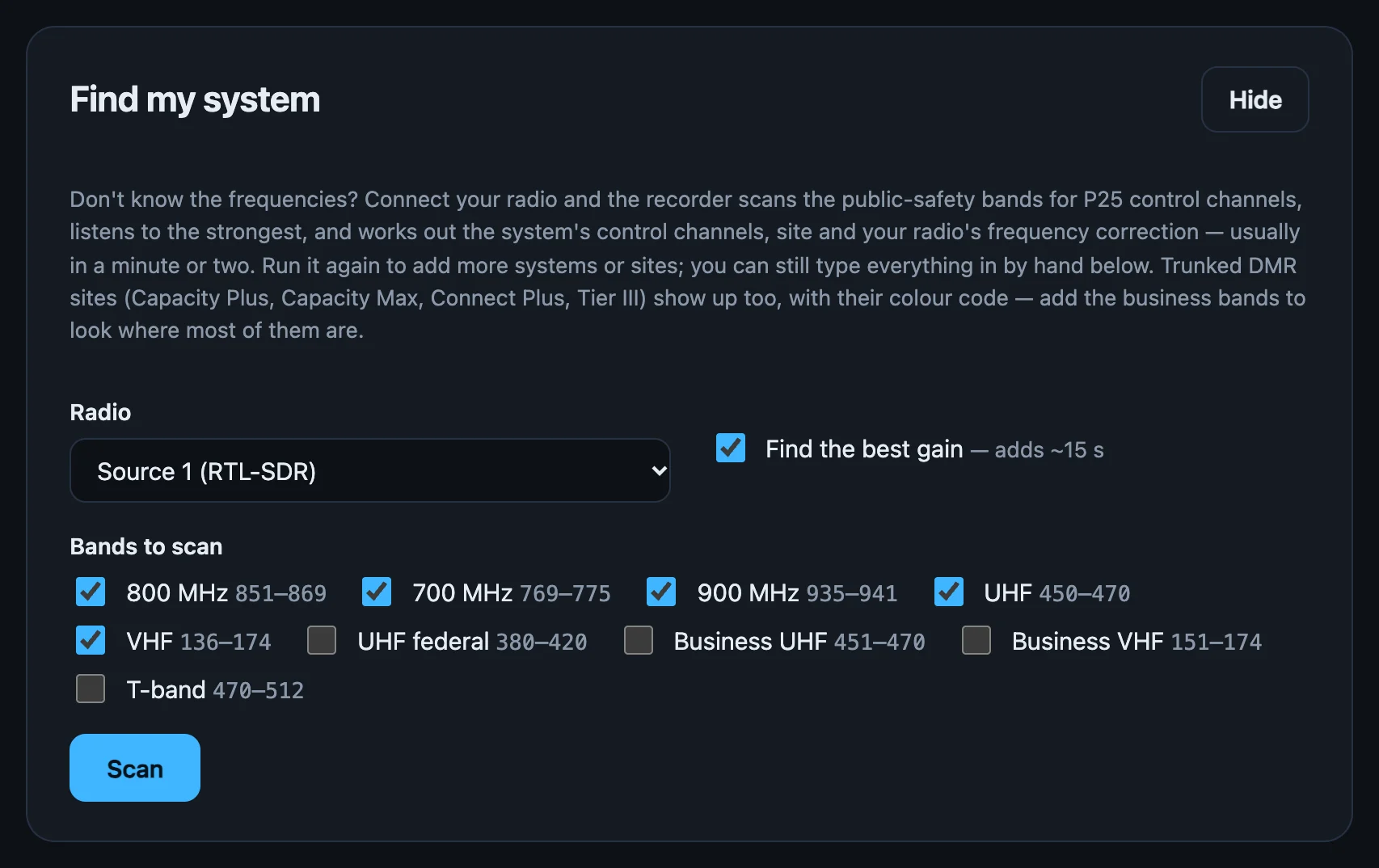
Find my system
Press Scan with a dongle connected. The recorder steps through the land-mobile bands, about 1.3 seconds per 2 MHz, looking for carriers that never key down. It checks each one with its P25, SmartNet and DMR receivers, then listens to the strongest.
Also available from the command line: trunk-pro survey --serial 200 --bands 800,700
Several systems and sites
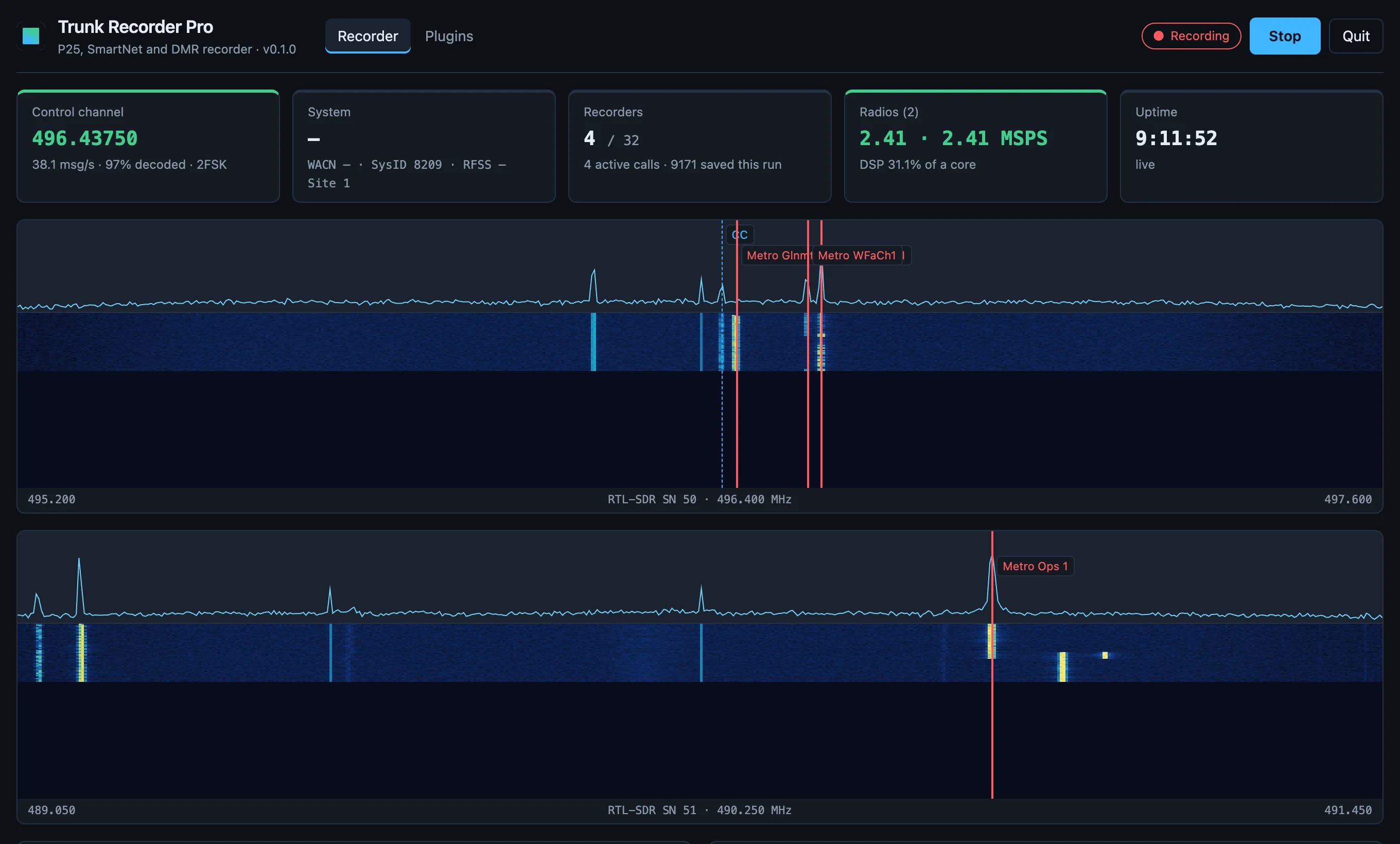
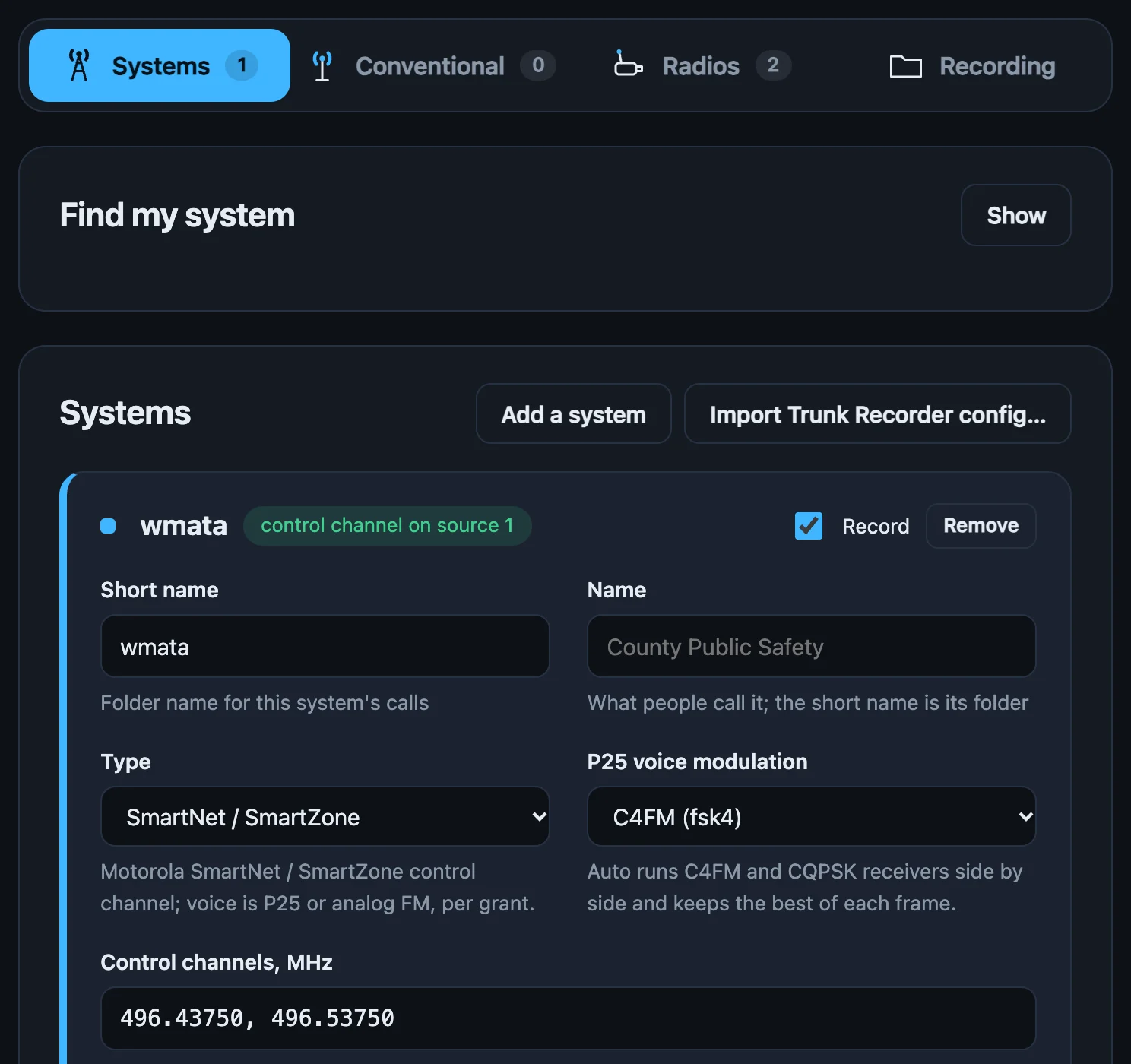
Each system, or each site of a multi-site system, follows its own control channel and saves calls in its own folder. All of them share the dongles. Each control channel and call is picked up by whichever dongle covers its frequency.
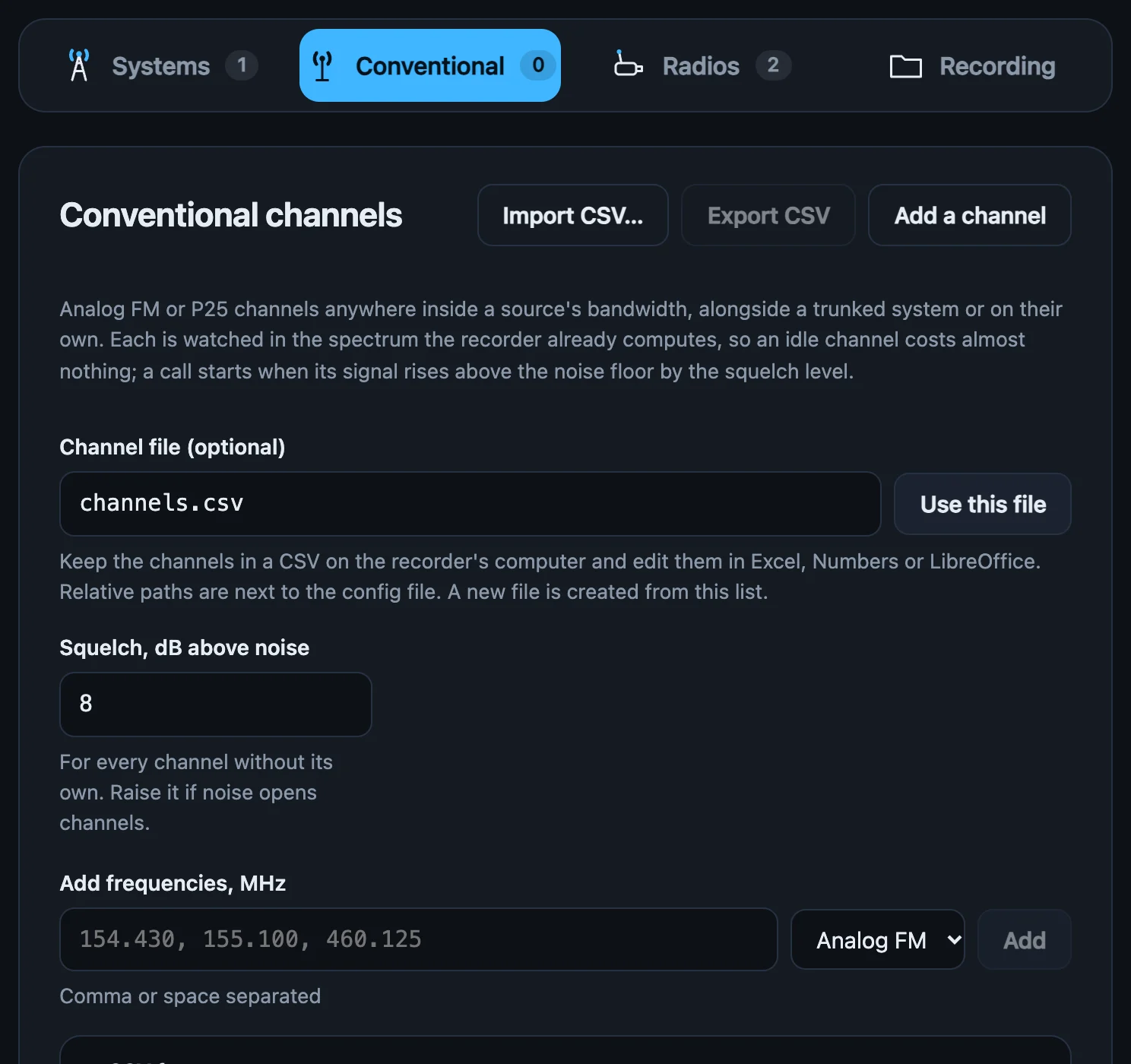
Conventional channels
Channels are watched in the spectrum the recorder already computes. An idle channel takes about 0.001 % of a CPU core. When a signal rises above the squelch, recording starts a moment before it was detected, so the start of the transmission isn't lost.
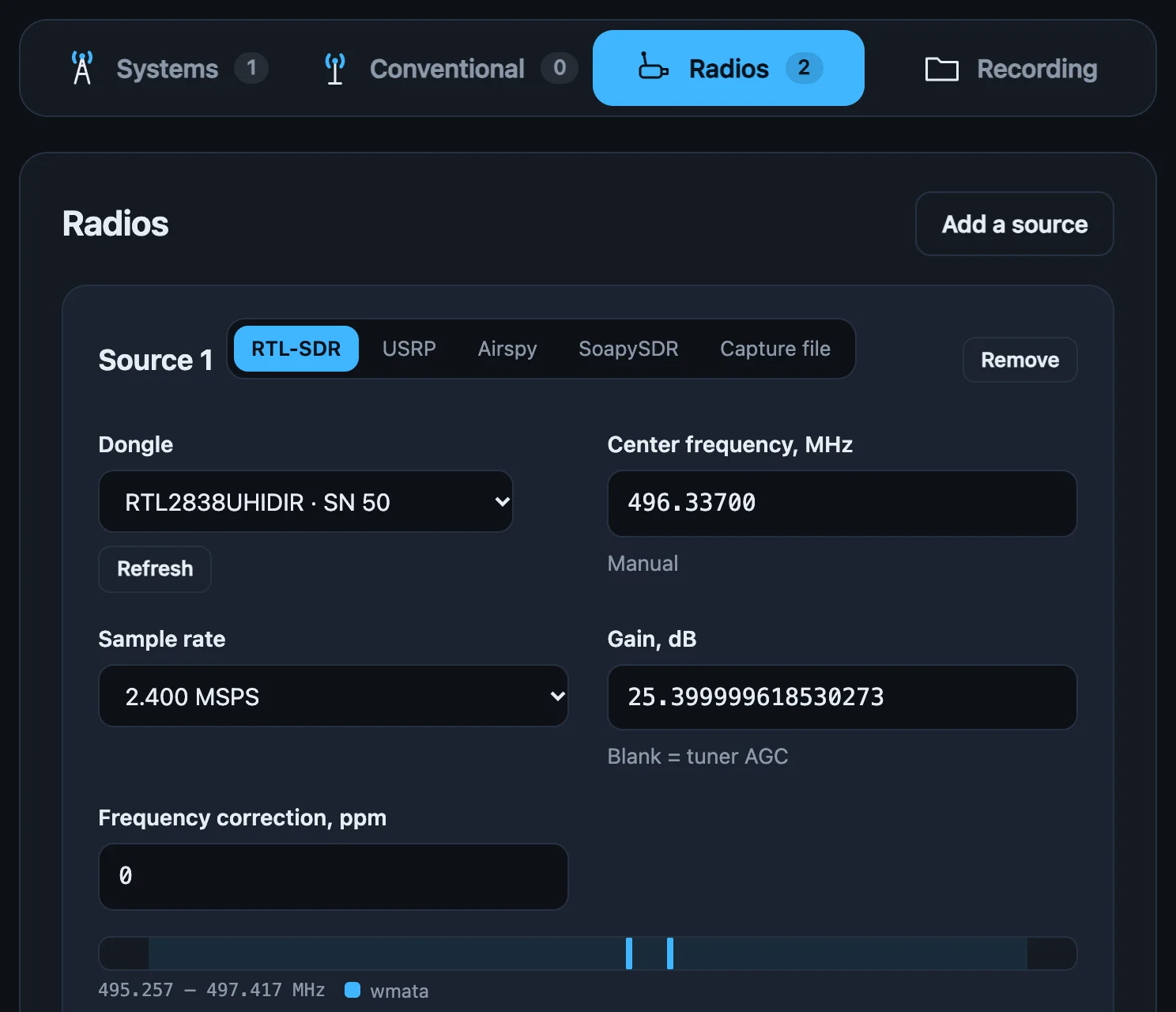
Radios
RTL-SDR dongles are opened directly over USB, so there's no librtlsdr or libusb to install. You can use several at once. Each dongle's card shows which control and voice channels fall inside its range.
cu8, cs16, cf32) can be played back through the same engineHow it works
The engine is written in Rust from scratch and doesn't use GNU Radio, OP25 or a block scheduler. A single shared channelizer feeds the control-channel, voice and conventional receivers. The same core is compiled natively for the desktop and to WebAssembly for the browser.
of P25 control messages decoded on a CQPSK simulcast site, where OP25's decoder gets 62 %.
of one CPU core for a 2.4 MSPS P25 site (control channel and two voice channels). About 6 % at 8 MSPS with 16 calls at once.
of SmartNet control messages on a UHF system where Trunk Recorder decodes 40–60 %.
less signal needed than before for the same P25 C4FM voice decoding (8 dB on DMR). The receivers use matched filtering and multi-symbol detection.
Measured on captures and live systems in the Washington, DC area using RTL-SDR and USRP B200 receivers, on an Apple-silicon Mac. Your results will depend on your site, antenna and hardware. The methods and raw results are in the repository.
Works with your existing setup
Calls are saved in Trunk Recorder's folder layout with its JSON fields, so tools that read Trunk Recorder's output can read these files too. Your existing configuration can be imported.
unitTagsOTA files and lcnTable are read as isdcfd/2026/10/1/
1201-1790865823_857237500.wav
1201-1790865823_857237500.json
1307-1790865861_770106250.1.wav # Phase 2, slot 1
capmax/2026/10/1/
201-1790865902_452275000.0.wav # DMR, slot 0
conv/2026/10/1/
154430-1790865940_154430000.wav # talkgroup = kHzInstall
Each download is a single program with the interface built in. When it runs, it opens its interface in your browser at
http://localhost:8080.
Downloads are on the GitHub releases page, with a SHA256SUMS file for checking them.
macOS 11 or later · Apple silicon and Intel (one universal app)
trunk-pro-<version>-macos.dmgOpen it and drag Trunk Recorder Pro to Applications.
Releases aren't signed with an Apple Developer ID yet, so macOS blocks the first launch. Open the app once, then go to System Settings → Privacy & Security → Open Anyway.
The app has no Dock icon. It opens its interface in your browser. To get back to the interface, open the app again. To stop it, use Quit in the interface.
trunk-pro-<version>-macos-universal.tar.gz contains the same program without the app bundle:
tar xzf trunk-pro-*-macos-universal.tar.gz
./trunk-proWindows 10 or 11 · 64-bit
trunk-pro-<version>-windows-x86_64.zipUnzip it anywhere and run trunk-pro.exe. SmartScreen may warn that the app isn't recognised. Choose More info → Run anyway.
Every RTL-SDR program on Windows needs this. Run Zadig, pick Bulk-In, Interface (Interface 0), and install WinUSB.
The console window is the app, and closing it quits. Recordings go to %USERPROFILE%\TrunkRecorderPro.
x86-64 or ARM64 · glibc 2.28 or newer (Debian 10, Ubuntu 20.04, RHEL 8 and later)
tar xzf trunk-pro-<version>-linux-x86_64.tar.gz
cd trunk-pro-<version>-linux-x86_64 && sudo ./install.sh
trunk-proinstall.sh puts trunk-pro in /usr/local/bin. It also adds a udev rule so your user can open RTL-SDRs, Airspys and USB USRPs (the kernel's DVB driver is detached automatically), and adds a menu entry. Unplug and replug the dongles afterwards.
mkdir -p ~/.config/systemd/user
cp trunk-pro.service ~/.config/systemd/user/
systemctl --user enable --now trunk-pro
sudo loginctl enable-linger "$USER" # keep running after logoutRaspberry Pi 4 or 5 · a 64-bit OS (Raspberry Pi OS bullseye or later)
tar xzf trunk-pro-<version>-linux-aarch64.tar.gz
cd trunk-pro-<version>-linux-aarch64 && sudo ./install.shThe interface has no login, so by default it only listens on the Pi itself. Reach it through an SSH tunnel:
ssh -L 8080:localhost:8080 pi@raspberrypi.local
trunk-pro serve --no-openThen open http://localhost:8080 on your computer. Add --bind 0.0.0.0 only on a network you trust.
Turn on Start recording when the app starts in the interface, then install the systemd service as shown on the Linux tab. Stopping the service saves any calls in progress before it exits.
Chrome or Edge on a desktop · an RTL-SDR dongle
This is the same engine compiled to WebAssembly and running in a Web Worker. Nothing is installed, and no audio or data leaves your computer.
Press Connect… on a source and pick the dongle. The browser talks to it over WebUSB. On Windows the WinUSB driver is needed (see the Windows tab). On Linux, use the udev rule from the Linux package.
Calls are kept in the browser's private storage. Export to folder… copies them out in Trunk Recorder's layout.
You can host it yourself too: unzip trunk-pro-<version>-browser.zip onto any static web server that uses HTTPS (or localhost).
RTL-SDRs need nothing extra. For other radios, install the maker's driver. The recorder finds it at startup and offers it as a source type. trunk-pro devices shows which drivers it found.
| macOS | Debian / Ubuntu / Pi OS | Windows | |
|---|---|---|---|
| USRP | brew install uhd | sudo apt install libuhd-dev uhd-host | Ettus's UHD installer |
| Airspy | brew install airspy | sudo apt install libairspy0 | airspy.dll next to trunk-pro.exe |
In the browser
The browser version runs the same Rust engine, compiled to WebAssembly. On a test capture it recorded the same calls as the desktop build, using about 7 % of a CPU core in real time. It's a quick way to see whether your dongle can hear a system.
For several dongles or long unattended runs, use the desktop app. A browser tab can be suspended or closed, and WebUSB is only available in Chromium-based browsers.
Open the web appStatus
This is the first release of a new engine. Here's the current state.
localhost or a network you trustFound a problem or have a system it doesn't handle? Open an issue on GitHub.